It is no secret that the technology around artificial intelligence is advancing exponentially. Within a period of 60 days, the world was introduced to novel software, improved hardware, and streamlined systems at AWS re:Invent 2025 and CES 2026. Despite major advances like Amazon Nova Forge or the NVIDIA Rubin Platform which AWS is slated to offer as part of its "AI Factory" push in 2026, the core skills of building with AI require practice and mastery.
This will be the first of a 3 part series of articles that explores the fundamentals of building with AI on AWS.
How Do You Start Building with AI on AWS?
While prompt engineering, context engineering, and tool use may seem like the ideal place to start, I want to take a step back and ask the following question:
Why would we even consider engaging in these exercises to begin with?
The answer, I believe, is quite simple. As builders, we identified a problem and have set our sights on delivering a solution.
Anyone who has ever built any software solution can attest to the fact that building is an iterative process but regardless of what you set out to build, you have to start somewhere. As a matter of fact, one of the simplest quotes that motivates me on the daily is, "Make it exist, then make it perfect."
So where do we start in order to render a prototype of our idea? Enter PartyRock (https://partyrock.aws/ ).
PartyRock is a browser-based, no-code, generative AI playground that lets you prototype AI applications. Its main purpose is to give builders a fast, low-friction way to experiment with prompt engineering, chaining model calls, and basic AI app patterns in a shareable, web-hosted environment.
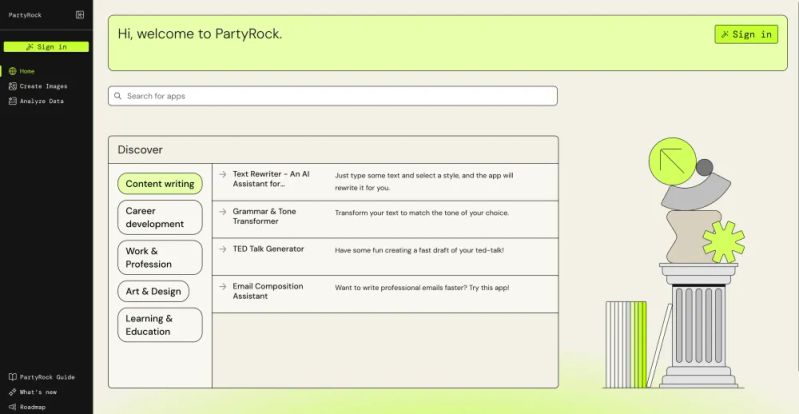
Despite the absence of highly technical complexity (a feature and not a bug), PartyRock allows users to build prototypes that abide by the core principles of production AI builds.
So without further ado, let's build a prototype on PartyRock.
Getting started is quite simple, simply sign up using your preferred OAuth and create your username and select your country of residence. Just like that, you're ready to build!
Simply click "Generate App" and you'll be able to get started immediately.
Here, you'll be presented with two options. Option 1 - Simply write a prompt using natural language to describe what you want to build. This is becomes your first practice run at prompt engineering. The goal here is to strike a balance between important information that needs to be conveyed and superfluous verbiage that may detract from your intent.
What would that look like in practice? For simplicity's sake, lets build an app that refines prompts. An unnecessarily verbose prompt would look something like this:
"So I'm looking to build an app, like a tool basically, that can help me and other people take the prompts that we write and make them better and more streamlined. What I mean is, like, it should look at what someone writes as a prompt and then figure out where there's like, extra stuff that doesn't really need to be there, you know? Like unnecessary words and phrases that are just kind of taking up space and making things longer than they need to be. And then the app should take those prompts and rewrite them to be shorter and cleaner while still keeping all the important meaning and information. It would also be really helpful if it could explain what it changed and why it changed it, like showing the user what made the prompt better."
Simply reading that example is a challenge in and of itself. Although large language models have been trained on a massive corpora of human text, the underlying technology is still the same:
words -> chunks -> vectors -> similarity calculations.
By introducing unnecessary verbiage, we are inadvertently increasing token count which affects latency and cost, introducing more potential ambiguity for the model to parse through, and making it harder for vector representations to cleanly capture your intent.
So lets refine this prompt:
Build an app that analyzes user prompts and refines them by removing unnecessary words while preserving semantic meaning. The app should:
- Identify and eliminate redundant language, filler words, and verbose phrasing
- Rewrite prompts to be concise and direct
- Display the changes made
- Explain why each change improves the prompt
Every word has a reason to exist within the prompt. The stark dichotomy between these two example prompts underscores the importance of eloquence and the ability to articulate intent. While this is unquestionably a skill that requires practice, prompt engineering is a fantastic way to refine this universally applicable skill.
Now let's explore Option 2. This is where PartyRock provides users with more granular control of their prototype build. If you select "+ or create an App manually", you will be given the option to add specific widgets. These range from text input and file uploads, to image outputs and chat boxes.
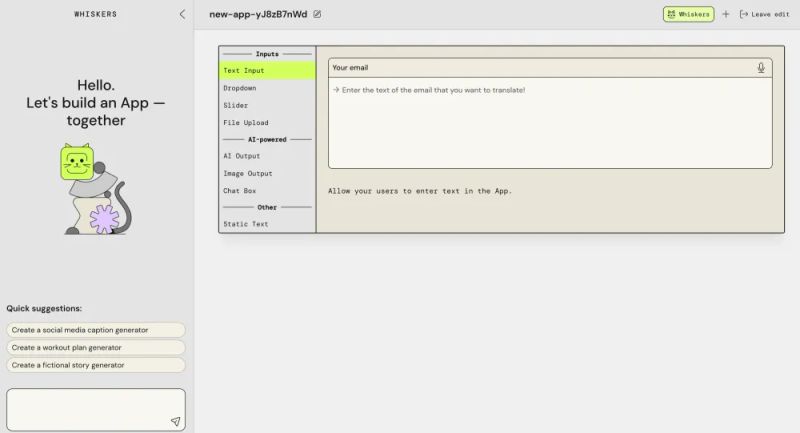
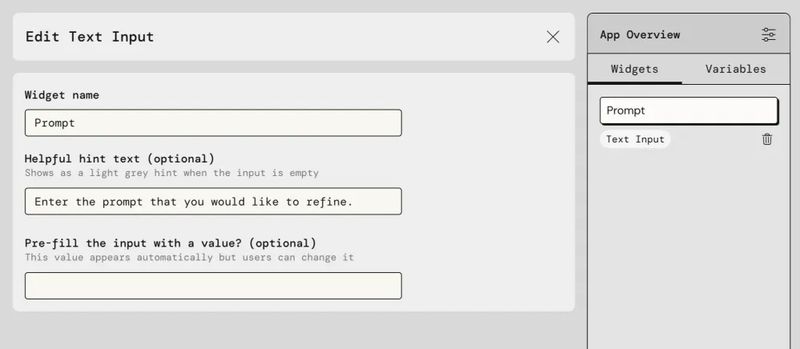
For our example application, lets start with "Text Input". We want to ask the user to type a prompt that they would like AI to refine. We then proceed to name the widget, type out the user instructions, and include placeholder text as an example.
Every input requires an output so lets create an AI Output. Again, we name the widget, provide clear instructions to the AI model but this time using "@" we reference the Text Input so that the software knows what to reference in order to generate the output.
As a reminder, our goal in this example build is to generate a simple app that refines a user's prompt to better suit a Large Language Model. Given this intent, our AI Output widget would have the following logic:
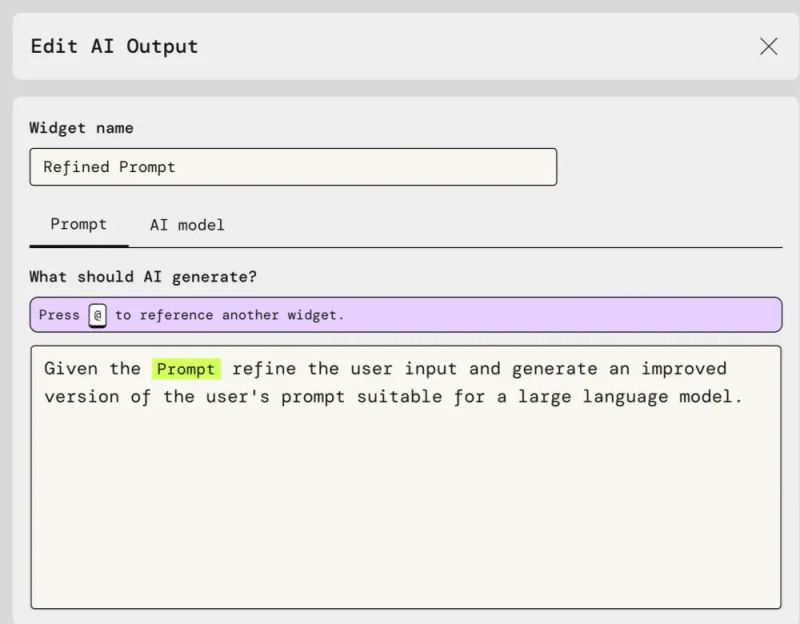
Before we continue with some of the more advanced features on PartyRock, let's pause here for a second and reflect on what we have just built. Using no code whatsoever, we have created a logical flow that encourages a user input, provides that input to a language model, and utilizes our engineered logic to produce an AI powered output. That simple process captures the fundamental architecture that powers everything from AI chatbots to AI Agents. While we can introduce greater complexity like tool calls, MCP servers, API's, and subagents, the flow remains the same: user input -> AI logic -> AI output.
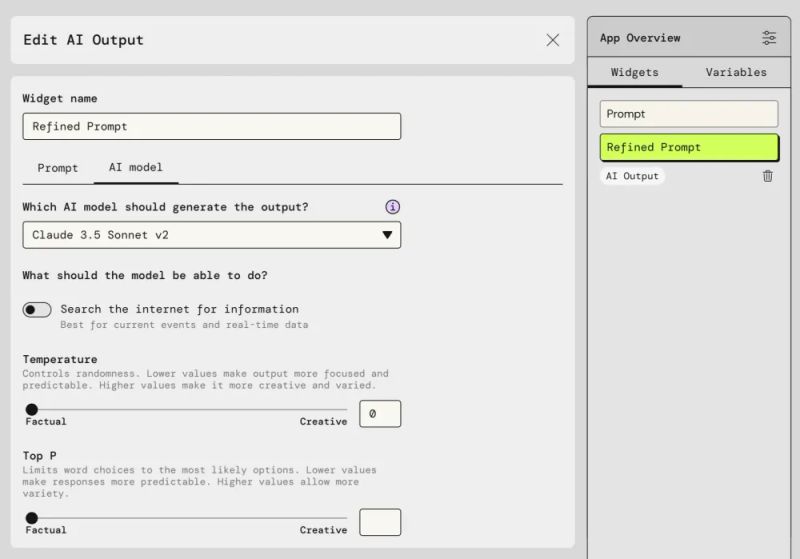
PartyRock enables users to further explore the technical domain of AI builds. You'll notice from the image above that there is a tab labeled "AI Model". When we click this, we unlock a critical aspect of AI builds. We can choose the AI Model we would like to use, we can enable internet search, and we can select the Temperature and Top P for the selected model. With a simple click we are introduced to more technical concepts that further expand our ability to generate uniquely tailored software.
Every model has different strengths and weaknesses, for example Claude Opus 4.5 is more capable on complex reasoning but has a higher latency and is more expensive per token. Haiku 4.5, on the other hand, is great for less complex iterative feedback loops but has less sophisticated reasoning.
Internet search provides us the ability to reference real-time data and current events.
Temperature controls model output creativity and variation. A lower temperature will generate more deterministic and repeatable outputs whereas higher temperatures will generate more creative, varied, and unpredictable outputs.
Top P controls token selection. A low Top P will result in a narrow token selection so the model will only choose the most likely tokens thereby generating a more focused and deterministic output whereas a high Top P will enable the model to choose from a broader token selection resulting in more diverse outputs.
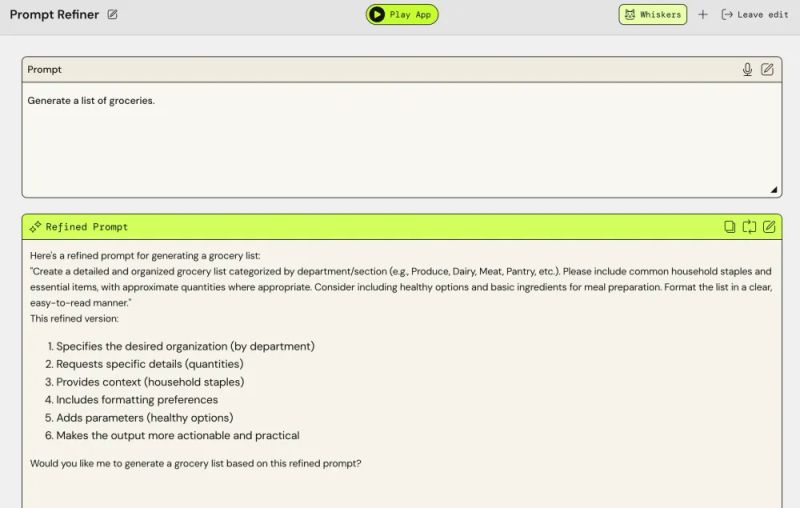
The backend logic we just built results in an ideal user experience:
For many people that are interested in Artificial Intelligence, the technical landscape may seem daunting. In some cases, this fear is sufficient to deter an individual from taking the first steps in building software solutions. PartyRock enables users to test the waters and slowly walk into the pool rather than plunging into the deep end.
As confidence and experience accrue, users will find themselves more emboldened and equipped to venture into Lambda functions, Amazon Bedrock AgentCore, SageMaker, Event Bridge, RedShift, and all of the fascinating cloud infrastructure AWS provides.
I can say this with a high degree of confidence because this was my story. Less than a year ago I had no idea what AWS was. I built my first App called NextMission.ai on PartyRock. Today, I have three qualified software builds on AWS Partner Network and 7 AWS Certifications including the Generative AI Developer - Professional.
I hope this read encourages you or someone you know to take the first step in building something brilliant.
"Make it exist, then make it perfect."